7 Best AI Tools for Productivity (Beginner-Friendly Guide)
Modern life can feel overwhelming. Whether you’re studying, managing kids, creating content, running a business, or working a full-time job — there is always too much to do and too little time.
AI helps reduce that pressure.
With the right tools, even beginners can organize their day, simplify tasks, and get work done faster.
This guide explains the best AI tools for productivity, how to use them in real life, and simple examples anyone can follow.

✅ What Are AI Productivity Tools?
AI productivity tools are apps that help you:
- Plan Your Day
- Write Faster
- Organize Information
- Summarize Long Text
- Research Quickly
- Break Tasks Into Steps
- Improve Clarity
- Reduce Stress
Think of them like a smart helper that supports your daily routine and removes the hardest parts of work.
✅ Why AI Makes You More Productive
AI helps when you feel stuck, confused, tired, or overwhelmed. It gives you:
- Clear Priorities
- Clean Notes
- Faster Writing
- Simple Explanations
- Better Structure
- Quick Solutions
- Daily Routines
- Helpful Ideas
You don’t need technical skills.
You only need to ask questions and let the AI guide you.
✅ The Best AI Tools For Productivity (Simple For Beginners)
Below are the top 7 tools that actually make life easier.
These are arranged in a simple, beginner-friendly order.
✅ 1. Notion AI – Organize Your Life, Work, And Studies
Notion AI is your all-in-one organizer. It helps you:
- Turn Messy Notes Into Clean Summaries
- Create Weekly And Daily Plans
- Manage Projects
- Track Tasks
- Store Ideas
- Create Study Schedules
- Build Simple Dashboards
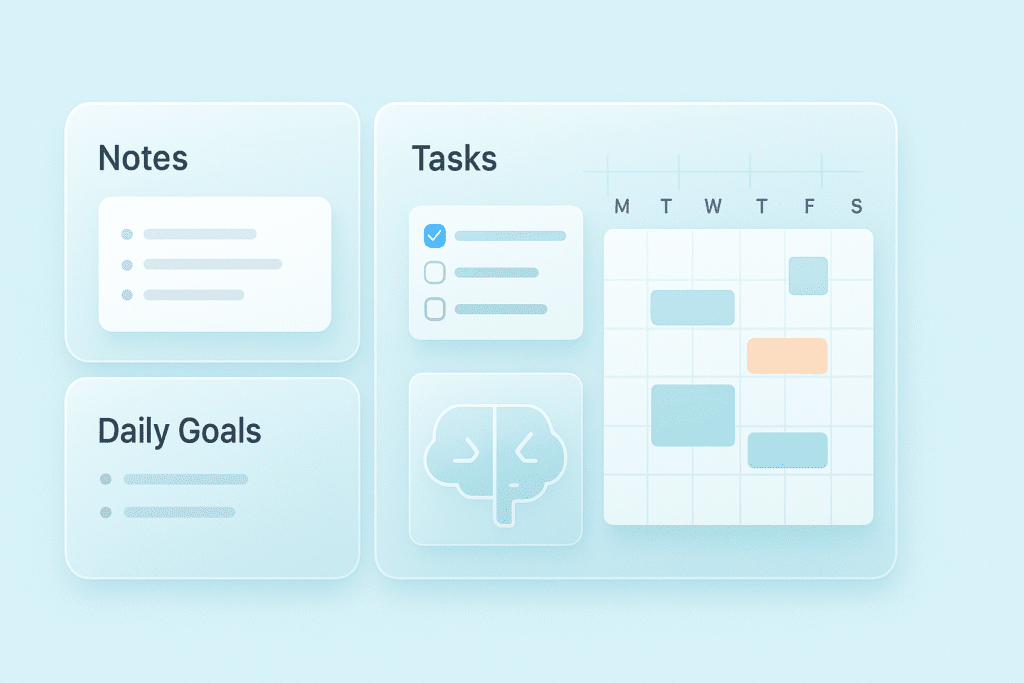
Examples of use:
- Ask Notion AI to organize your homework by deadlines
- Convert random notes into step-by-step lists
- Build content calendars in minutes
If you want tools specifically for students, check out AI Tools for Students.
✅ 2. ChatGPT – Your Writing, Planning, And Thinking Assistant
ChatGPT helps with almost every mental task:
- Write Emails
- Create Daily Plans
- Break Tasks Into Steps
- Summarize Articles
- Rewrite Messages
- Generate Ideas
- Fix Grammar
- Build Routines
Useful beginner prompts:
“Organize my tasks today and select the top three priorities.”
“Rewrite this to sound polite and professional.”
“Explain this paragraph in simple English.”
If you are new to ChatGPT, read How To Use ChatGPT (Beginner Guide).
✅ 3. Perplexity – Research Without Reading 10 Websites
Perplexity is one of the smartest AI search tools. It gives you:
- Fast Answers
- Real Sources
- Clean Summaries
- Updated Information
- Clear Comparisons
Perfect for students, bloggers, creators, and anyone who needs answers quickly.

✅ 4. Google Gemini – Best For Live, Real-Time Information
Gemini helps with:
- Latest News
- Google Search Results
- Translations
- Internet-Powered Answers
- Summaries
- Quick Planning
Use Gemini when you need current information instead of older data.
✅ 5. Notta / Otter – Turn Audio Into Notes Automatically
These tools instantly convert:
- Lectures
- Meetings
- Voice Notes
- Interviews
- YouTube Videos
into readable notes.
They create:
- Bullet Points
- Action Items
- Summaries
- Key Highlights
Perfect for students, teachers, business owners, and anyone who attends meetings.
✅ 6. Microsoft Copilot – AI Inside Word, Excel, And PowerPoint
Copilot makes work so much faster. It can:
- Summarize Documents
- Create PowerPoint Slides
- Write Emails
- Fix Grammar
- Generate Ideas
- Create Excel Formulas
- Clean Up Writing
Great for office workers, business owners, and students using Microsoft tools.
✅ 7. Trello + Automation – Visual Task Management Made Simple
Trello is the easiest tool for tracking tasks visually.
With automation, Trello can:
- Move Tasks Automatically
- Create Reminders
- Track Progress
- Organize Projects
- Build Simple Pipelines
Great for beginners who want a clean, visual layout.
✅ How AI Actually Saves Time (Real Life Examples You’ll Understand)
Here is where AI becomes powerful.
Example: Too many tasks
Ask AI:
“Sort today’s tasks by urgency and create a simple action plan.”
AI instantly organizes your entire day.
Example: Messy thoughts
Tell AI:
“Turn this messy idea into a clean paragraph.”
AI removes confusion and rewrites it neatly.
Example: You don’t understand a topic
Ask:
“Explain this to me like I’m 12 years old.”
AI teaches you instantly.
Example: You need notes but have no time
Upload audio → AI gives you notes, summary, and bullet points.
AI becomes your personal helper.
✅ The Three-Tool Productivity Starter Kit (Perfect For Beginners)
You only need 3 tools to feel organized:
- ChatGPT – For thinking and writing
- Notion AI – For planning and organizing
- Perplexity – For fast, reliable information
This combination saves 3–5 hours every week.
✅ 10 AI Prompts That Save Hours Every Week
Use these to boost productivity instantly:
- Organize My Tasks For Today
- Create A Simple Schedule Based On These Goals
- Summarize This Into Bullet Points
- Rewrite This More Professionally
- Break This Task Into Smaller Steps
- Turn These Notes Into A Checklist
- Give Me Faster Ways To Finish This Task
- Explain This In Simple English
- Plan My Week Using This List
- Help Me Start My Day With A Clear Plan
✅ How Different People Use AI For Productivity
Students
- Summaries
- Study Plans
- Project Structures
- Notes
- Essay Assistance
Mothers
- Meal Planning
- Child Scheduling
- Home Routines
- Shopping Lists
- Reminders
Small Business Owners
- Post Ideas
- Customer Replies
- Product Descriptions
- Marketing Content
Creators can also check AI Tools for Creators for more focused options.
Creators
- Script Ideas
- Titles
- Captions
- Storyboards
- Content Calendars
Office Workers
- Email Writing
- Slide Creation
- Meeting Notes
- Report Summaries
- Excel Formulas
✅ The 15-Minute AI Productivity Routine (Daily)
- Ask AI To Prioritize Your Day
- Ask AI For Faster Ways To Complete Tasks
- Use AI To Write Or Start The First Step
- Create Micro Tasks
- Review At The End Of The Day
Consistency → Productivity.
✅ Common Productivity Mistakes To Avoid
- Using Too Many Tools
- Switching Apps Constantly
- Asking Vague Questions
- Copying AI Without Reading
- Expecting AI To Do Everything
- Working Without Clear Priorities
Instead, do this:
- Stick To 2–3 Tools
- Use AI Daily
- Ask Clear Questions
- Take Small Actions
- Let AI Remove Difficult Steps
✅ AI Productivity FAQ (Simple Answers)
Is AI easy to use?
Yes — even complete beginners can use it.
Do I need to pay?
Free versions are enough for most tasks.
Does AI help reduce stress?
Yes — it gives clarity and removes confusion.
Can AI help with daily routines?
Yes — it can build your day, week, and goals.
Will AI replace me?
No — AI supports you, not replaces you.
✅ Conclusion
AI is not complicated. It’s a simple helper that makes work easier.
Whether you’re a student, creator, mother, or professional, these tools help you:
- Stay Organized
- Save Time
- Think Clearly
- Reduce Stress
- Work Smarter
- Improve Focus
Start with small tasks.
Use AI daily.
Productivity will become effortless.